Choosing among China’s WiFi projector manufacturers takes more than comparing product photos or headline prices. A projector may look impressive online yet struggle with readable text in a bright meeting room. The details matter. This guide introduces ten manufacturers and considers practical factors buyers can verify, including native resolution, measured brightness, wireless casting options, ports, and after-sales support. WiFi Projectors can suit home viewing, classrooms, and small business presentations, but their performance depends on the room, source device, and network. A bedroom setup is not the same as a sunlit training space.
The manufacturers featured here should be assessed as potential suppliers, not treated as an automatic ranking of quality. Product lines can differ widely, even within one company. Ask for current specifications, sample videos, warranty terms, and clear answers about OEM or ODM services before placing a bulk order. Check whether brightness figures use a consistent measurement method, and test wireless mirroring with the devices your customers actually use. Small checks help. Also consider fan noise, focus uniformity near the screen edges, menu translation, and replacement-part availability. These points are easy to overlook in a catalogue.
Supplier information and models change over time, so independently confirm claims before making a decision. A factory visit or sample evaluation can reveal issues that polished product images cannot. No shortlist replaces that work. Use this overview as a starting point for comparing capabilities, communication, and product fit—not as a guarantee that every model will meet your requirements.
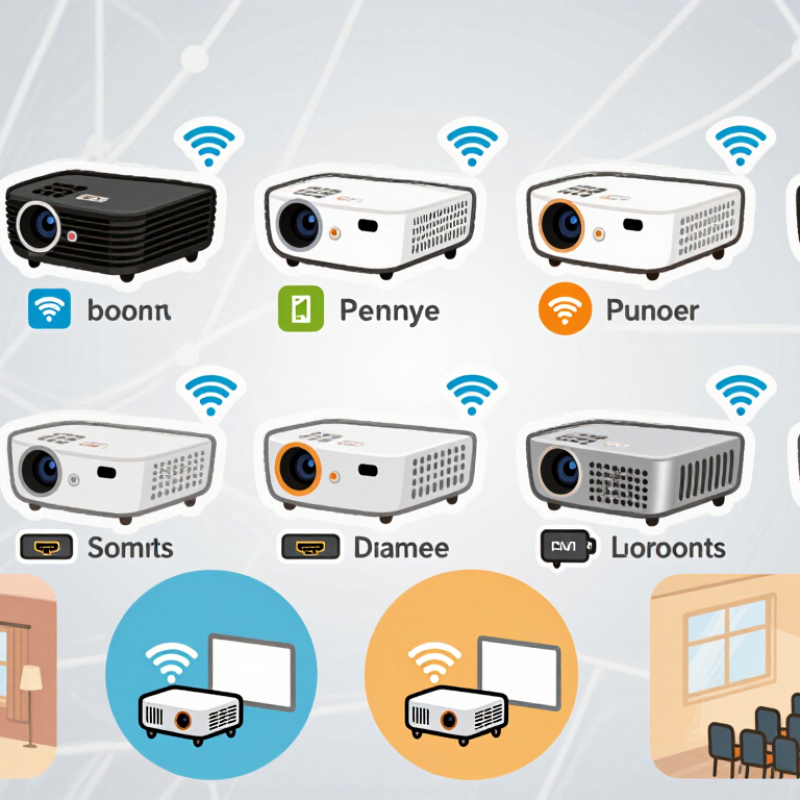
China’s WiFi projector industry serves home users, classrooms, meeting rooms, and mobile presenters. Manufacturers offer different product categories rather than one universal design. Compact portable models prioritize light weight, built-in batteries, and quick setup. Home models often emphasize image size, quieter fans, and convenient wireless playback. Business and education models may include brighter lamps or light sources, multiple input ports, and flexible installation options.
WiFi connectivity lets a projector receive video over a local network or connect with compatible devices. It does not guarantee smooth playback in every room. A crowded router, weak signal, or high-resolution video can cause delays. Details matter. Product checks should include real-world brightness, native resolution, focus controls, keystone correction, speaker output, and fan noise. A bright image in a dark showroom can look less vivid beside a sunlit window.
Some listings use “smart” and “wireless” as if they mean the same thing. They do not always. A model may support screen mirroring but lack built-in streaming services, while another may rely on an external device. Buyers should confirm supported casting methods, network bands, and return or service arrangements before ordering. One point deserves more thought: portability can be useful, but a small chassis may limit brightness and cooling. Specifications help, though testing in the intended room is better.
A WiFi projector’s design starts with a practical trade-off: image brightness, heat, size, and wireless stability compete for space. Engineers position the WiFi module away from heat-producing components and test antenna performance inside the finished enclosure. Small details matter. A metal bracket can weaken reception; a blocked air vent can raise operating temperatures. Optical assemblies are aligned, then checked for focus and color uniformity across the screen.
Wireless specifications need careful interpretation. IEEE 802.11ax defines a theoretical peak rate of 9.6 Gbps, but real throughput depends on distance, interference, and connected devices. The Wi-Fi Alliance’s 2024 economic-value report estimated WiFi’s contribution at US$4.3 trillion in 2023 and forecast US$4.9 trillion for 2024, reflecting how widely wireless connectivity is used. That figure is not a projector-performance benchmark. It does, however, underline why manufacturers test streaming stability, not just headline specifications.
During production, technicians typically inspect lens alignment, fan noise, temperature, and wireless connection consistency. Units are tested with varied content and at different distances from the router. One uncomfortable truth: a projector can pass a short factory test and still struggle in a crowded home network. Testing against realistic interference helps, though it cannot reproduce every room. A careful manufacturer documents these limits instead of promising flawless streaming.
A practical overview of ten common design and manufacturing considerations for WiFi projectors. Specifications vary by model; this is a technical reference, not a company ranking.
| No. | Design or Manufacturing Area | Typical Specification or Practice | What Is Checked |
|---|---|---|---|
| 1 | Native Resolution | Common consumer models use native 720p or 1080p panels. Support for a 4K input signal does not necessarily mean the projector has native 4K resolution. | Native panel resolution, image scaling, and clarity of fine details. |
| 2 | Light Source and Brightness | LED light sources are widely used in compact projectors. Brightness is best compared using a stated, standardized measurement such as ANSI lumens. | Brightness uniformity, color consistency, and operation under the specified test conditions. |
| 3 | Optical Engine | The optical engine combines the light source, imaging element, lenses, and related components. Its design affects focus, image uniformity, and thermal requirements. | Focus across the image, dust control, optical alignment, and image uniformity. |
| 4 | Projection Lens and Throw Ratio | Throw ratio describes the relationship between projection distance and image width. The required distance depends on the projector’s lens and target screen size. | Image size and focus at supported distances, plus lens alignment. |
| 5 | Wireless Connectivity | WiFi projectors may support 2.4 GHz, 5 GHz, or both. Supported WiFi standards and wireless display features depend on the hardware and software configuration. | Connection stability, compatibility with supported networks, and wireless streaming performance. |
| 6 | Screen Mirroring and Software | Screen mirroring and casting compatibility can vary by operating system, application, and projector firmware. Some services may require a separate app or supported playback device. | Pairing, reconnection, firmware behavior, and compatibility claims for supported devices. |
| 7 | Image Geometry | Keystone correction and digital image adjustment can help align the picture, but digital correction may reduce the usable image area or effective detail. | Correction range, image shape, edge clarity, and ease of setup. |
| 8 | Thermal and Acoustic Design | Fans and heat paths are designed to manage heat from the light source and electronics. Cooling needs vary with brightness, enclosure size, and operating conditions. | Airflow, temperature behavior, fan noise, and ventilation clearance. |
| 9 | Ports and Audio | Depending on the model, connections may include HDMI, USB, audio output, and wireless audio. Port availability and supported signal formats should be confirmed for each model. | Port function, signal recognition, audio output, and simultaneous operation of key features. |
| 10 | Assembly and Quality Control | Production typically includes component inspection, optical and electronic assembly, firmware installation, and finished-product testing. | Basic operation, image and focus, wireless connection, ports, remote control, and packaging condition. |
A useful comparison of Chinese WiFi projector manufacturers starts with evidence, not polished product photos. Request a current specification sheet and confirm native resolution, measured brightness, supported WiFi bands, and input options. “Compatible with 4K” may describe accepted input, not the image displayed. Numbers need context.
Ask how wireless screen mirroring performs across common phones, laptops, and operating systems. A brief live test can reveal delay, dropped connections, or setup steps missing from the manual. Check brightness in a dim room and with daylight nearby; advertised figures may use different measurement methods. Test it yourself. Also inspect fan noise and heat after an hour, not just during a quick demonstration.
Reliable manufacturers should provide sample units, clear quality-control procedures, firmware update guidance, and realistic lead times. Ask for packaging details and spare-part availability if you plan repeat orders. Response quality matters, too: precise answers to technical questions are more useful than broad promises. One limitation remains: factory documents cannot predict every home network or viewing environment. A small pilot order may still expose issues your checklist missed. That extra step costs time, but can prevent a larger mismatch.
Profiles of China’s Top 10 WiFi Projector Manufacturers
A useful profile of China’s WiFi projector sector looks beyond advertised brightness. Grand View Research valued the global projector market at USD 11.65 billion in 2023 and forecast 8.4% annual growth from 2024 to 2030. This estimate covers projectors broadly, not WiFi models alone. Treat it as market context, not proof of demand for any particular supplier.
To compare ten manufacturers fairly, profile distinct capabilities: optical-engine design, smart-system integration, portable models, home-cinema products, education equipment, OEM and ODM production, lens and thermal engineering, wireless-casting software, component sourcing, and export support. Ask for measured brightness, native resolution, wireless latency, and operating-noise figures. A bright showroom image proves little. Request a live demonstration with your own phone and router, then check performance across the room. Some supplier details may be difficult to verify; note that uncertainty rather than presenting estimates as audited facts.
Tips: Compare like with like. Confirm whether brightness figures use ANSI lumens, and test connection stability through a wall. Check warranty terms and replacement-part availability before placing a large order.
Theoretical maximum aggregate link rates by Wi-Fi generation (Mbps).
These figures are theoretical standard-level peak rates, not measured projector speeds. Actual performance varies with device support, network conditions, and configuration.
Market growth does not guarantee that every Wi-Fi projector will perform well. Grand View Research valued the global projector market at USD 10.3 billion in 2023. Its 2024–2030 analysis projected an 8.8% compound annual growth rate. Wi-Fi Alliance states that Wi-Fi 6 can provide up to four times the capacity of Wi-Fi 5 in dense environments. That matters when several devices share a home network, but it cannot fix weak optics or unstable software.
Compare manufacturers on measurable details, not headline claims. Check native resolution, brightness measured in ANSI lumens, input lag, supported streaming formats, and wireless-band compatibility. Ask how each model is tested for focus uniformity, heat, fan noise, and sustained playback. Numbers can mislead. A bright specification may look impressive while a wall projection appears washed out in daylight.
Request a sample unit and test it on the network you actually use. Stream a high-motion scene, mirror a phone, and reconnect after restarting the projector. Ask for firmware-update procedures, spare-part availability, warranty terms, and documented quality-control checks. These details reveal how a supplier handles problems after shipment. One caveat: published market forecasts describe the projector category broadly, not Wi-Fi models alone. Treat them as context, not proof of demand.
Portable models favor light weight and batteries. Home models often focus on larger images and quieter fans. Classroom and meeting-room models may offer brighter light sources and more input ports.
No. A crowded router or weak signal can cause delays. Test a video in the room where you plan to watch it.
Check native resolution, measured brightness, focus controls, keystone correction, speaker output, and fan noise. Details matter.
Not necessarily. It may accept a 4K signal while displaying a lower native resolution. Confirm both figures on the specification sheet.
Connect your own phone or laptop and watch for delays or dropped connections. Try it across the room, too. Test it yourself.
Request current specifications and ask how brightness was measured. Check the image near a window, not only in a dark showroom.
Ask about quality checks, firmware guidance, lead times, packaging, warranty terms, and spare parts. A small pilot order may reveal problems. It costs time, but that trade-off is worth considering.
Not by themselves. Broad projector forecasts do not measure demand for WiFi models or any particular supplier. Treat them as context, not proof.
This article explores China’s WiFi projector industry, from its main product categories and common applications to the processes involved in designing and manufacturing these devices. It explains how factors such as optical components, wireless connectivity, image performance, heat management, and quality control shape the finished product. The article also outlines practical criteria for assessing manufacturers, including production capabilities, technical expertise, customization options, consistency, and after-sales support.
Profiles of ten Chinese manufacturers provide a framework for understanding the range of suppliers in the market without focusing on brand promotion. The final section considers industry trends and the questions buyers should ask before choosing a manufacturing partner, such as which specifications best fit their needs, how suppliers verify product quality, and whether their production capacity can support future demand. Overall, the article offers a clear starting point for comparing WiFi Projectors and making informed sourcing decisions.